OTG Reader
- 4.1
- Rating
- 100.00K
- Installs
- Free
- Price
 Analysis by App-foxy
I tried OTG Reader with a simple goal: make a USB flash drive usable from an Android phone without treating the phone like a miniature desktop computer. That narrow purpose is also the app’s biggest strength. It belongs to the Libraries & Demo category, comes from SweatersApp, and is free to use. Rather than trying to become a complete cloud storage platform or a feature-heavy file suite, it focuses on the moment when you connect external storage and need to see what is on it.
That makes it especially relevant if your phone has limited internal space, if you move photos between devices, or if you occasionally receive files on a USB stick. The app supports USB OTG storage, including Type-C connections, and its stated compatibility with NTFS and exFAT is useful for drives that are formatted for larger files or broader device use. In my experience, this is the kind of utility you may not open every day, but you appreciate having ready when a cable and flash drive suddenly become necessary.
What the app is really like to use
The first thing to understand is that OTG Reader depends on the physical connection as much as the software. You need a compatible Android phone, an OTG adapter or suitable Type-C connection, and a storage device that the phone can recognize. The app cannot solve a missing adapter, a damaged drive, or a phone that does not support USB host functions. That sounds obvious, but it is the most important practical distinction between this tool and a normal file manager.
You May Also Like

 Blood Strike: 2.5 Anniversary
Blood Strike’s Loadouts Turn Every Drop Into a Tactical Gamble
A close look at Blood Strike’s custom loadouts: how fast access to signature weapons reshapes its battle royale rhythm, rewards preparation, and narrows the gap between fights.

 Pandora - Music & Podcasts
Pandora’s Music Is Easy to Start, but Harder to Recover
Pandora’s strength is its low-effort path from a seed to a station. Its weak spot is how much confidence it asks you to place in connection, setup, and quiet recovery.

 8 Ball Pool
 Is Built on Rivalries, Rematches, and Routine
A close look at the rivalries, rematches, shared routines, and unanswered safety questions that turn a quick pool match into a persistent mobile community.

 Samsung Music
’s Quiet Strength Is Playing What You Already Own
Its reach comes less from spectacle than from dependable access to a personal library. That simplicity is both the app’s strongest retention engine and its ceiling.

 AccuWeather: Weather Radar
AccuWeather Review: A Quick, Clear Forecast for Everyday Decisions
For everyday plans, the best forecast is the one you can understand quickly. AccuWeather makes rain timing, radar, and local conditions easy to act on, with a few trade-offs.

 Hill Climb Racing
Why Hill Climb Racing Still Turns Crashes Into One More Run
A tiny car, a bumpy hill and one more upgrade: Hill Climb Racing keeps resurfacing because its simple chaos makes every near-miss feel personal.
More From Our News Desk



Once the drive is connected, the app’s value is its directness. You are not being asked to create an account, set up a library, or upload anything before accessing the files. For a quick transfer, that is much less distracting than a cloud-based alternative. I can connect a drive, inspect its folders, and work with the files locally. That shorter path is exactly why I would keep an OTG utility installed even if I already use another file manager.
The app is listed as suitable for Everyone, which fits its straightforward purpose. It is not a media community, a social tool, or a service that requires you to hand over a collection of personal content just to get started. Still, an age label should not be confused with a complete privacy assessment. When external storage is attached, the important question is what I choose to open, copy, move, or delete.
Why filesystem support matters in real life
Support for NTFS and exFAT is more meaningful than it may first appear. A drive formatted in one of those systems may contain files that are too large or too numerous for the older formats commonly encountered on small removable media. If a friend gives me a drive prepared on a computer, I do not want to reformat it merely to make it readable on my phone, because reformatting can erase the existing contents.
That does not mean every NTFS or exFAT drive will behave perfectly in every situation. The phone, adapter, power supply, and drive all affect the result. A portable hard drive may draw more power than a phone can comfortably provide, while a small flash drive may work immediately. If a connection repeatedly drops, I would first suspect the cable, adapter, power demand, or drive condition before blaming the app.
A useful habit is to test the connection with a nonessential file before attempting a large transfer. I also avoid disconnecting the drive while a copy operation is still active. This is not an exciting feature, but it is the kind of caution that prevents a simple file transfer from turning into a damaged or incomplete one.
A realistic everyday workflow
Imagine that I am traveling and my phone is nearly full after recording several videos. I have a USB flash drive and a Type-C adapter in my bag. With OTG Reader installed, I can connect the drive, locate a destination folder, and copy selected videos instead of deleting them immediately. That gives me a practical way to free space while keeping the originals available for later editing or backup.
I would not treat that single transfer as a complete backup strategy. A flash drive can be lost, damaged, or corrupted, and a phone can be misplaced at the same time. The sensible workflow is to use the app for movement and access, then keep important material in a second safe location. OTG Reader is helpful at the transfer stage; it should not encourage anyone to abandon a proper backup routine.
Another useful scenario is moving documents between a phone and a computer without signing into a third-party service. I can place files on the removable drive, connect it to the phone, and review them directly. That can be preferable when internet access is poor or when I simply do not want a temporary document passing through an online account.
Trust begins with a limited purpose
I find the app easier to evaluate because its purpose is narrow. A tool that exists to browse USB storage presents a smaller trust question than an app asking to manage contacts, messages, location, and online accounts. That does not automatically make it harmless, but it does make the user’s decision more understandable: the app is installed for a particular hardware-related task rather than for an entire digital lifestyle.
The visible product information identifies the developer as SweatersApp and shows a 4.1 average from around 1.5 thousand ratings. It has passed the threshold of over 100 thousand installs, so it is not an obscure experiment with no public usage history. Those figures provide context, but they are not a guarantee that every phone, adapter, or drive will work the same way. I still judge the app by what it asks me to do and by whether its behavior matches the task.
The app has been available since May 22, 2019, and its current version is 18.0. It supports Android 7.0 and later, which gives it a broad potential audience, including people using older phones. That wider compatibility is convenient, although older devices may have weaker USB support or less available power. Software compatibility alone does not promise identical hardware performance.
Permissions and data-sensitive moments
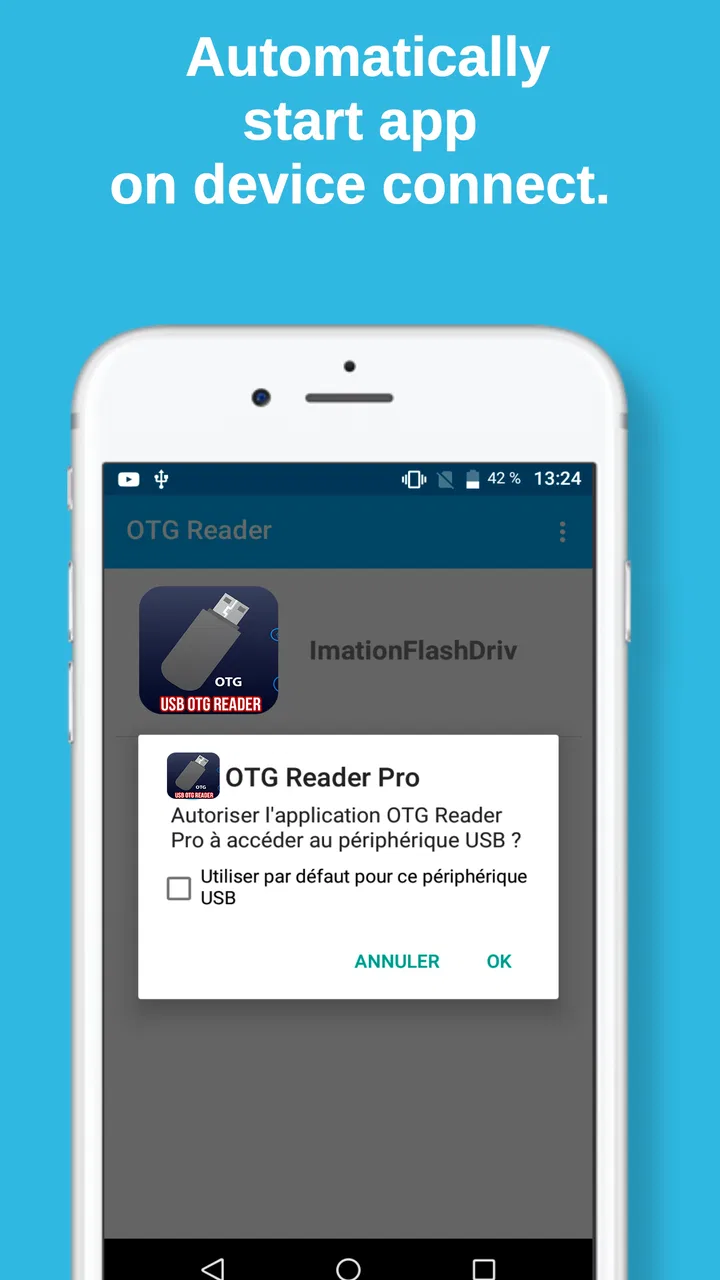
When I use a USB file tool, I pay attention to the point at which Android asks for access. The meaningful user choice is whether to grant access to the connected storage and whether that access is appropriate for the task I am about to perform. I prefer to connect the drive only when needed, select the intended device or folder carefully, and avoid approving prompts without reading them.
File access is sensitive even when the files are not confidential. A removable drive may contain identity documents, work material, family photographs, or private recordings. The risk is not only what an app might do in the background; it is also the very human mistake of copying the wrong folder to the wrong destination. I therefore check filenames and folder paths before starting a transfer, especially when several storage locations appear on screen.
I also treat USB connections as a physical privacy issue. If I connect someone else’s drive to my phone, I do not open files merely out of curiosity. If I lend my adapter or phone, I disconnect the storage first. These small habits give me more control than relying on a vague assumption that a file manager will protect me from every accidental action.
For sensitive material, I would use the app only for the minimum operation required. If I need one document, I copy that document rather than an entire folder. If I am finished reviewing a drive, I eject or disconnect it through the available Android workflow instead of pulling it out during an active operation. The goal is to reduce both exposure and the possibility of corruption.
Where it differs from ordinary file managers
Many Android phones already include a built-in file manager. That option may be better if I want broad access to downloads, photos, app-created folders, cloud locations, and device storage in one place. A general file manager can also be more convenient for organizing everyday files because it is already integrated into the phone.
OTG Reader makes more sense when external USB storage is the main problem. Its appeal is not that it replaces every file tool; it is that it gives the USB connection a dedicated destination. For someone who repeatedly plugs in flash drives, the focused approach can feel clearer than searching through a general-purpose interface that treats removable storage as just one location among many.
Cloud storage is a different alternative. It is better for synchronization, sharing, and access across several devices, while OTG Reader is better when I want a direct local transfer without depending on an internet connection. Cloud services usually offer account controls and recovery options that a physical flash drive does not. On the other hand, a local USB workflow avoids uploading a file simply to move it from one device to another.
There is also a trade-off with computer-based transfer. A laptop generally gives me more power, more ports, and better tools for repairing or inspecting a problematic drive. The phone-based method wins on portability. If I am already at a desk with a computer available, I would usually choose the computer for a large or important transfer. If I am away from home and need to move a few files, the app is considerably more convenient.
Small details that prevent frustrating failures
The most useful tip I can offer is to separate “the app cannot see the drive” from “the app cannot read the files.” Those are different problems. If the drive does not appear at all, I check the adapter, connection, phone support, and power situation. If it appears but particular files fail, I look at the filesystem, file condition, permissions, and available space.
A second practical tip is to keep transfers modest when the setup is unfamiliar. I start with a small file, confirm that it opens from the destination, and only then move a larger group. This catches loose connections early. It also tells me whether the problem is with reading, writing, or the destination folder, instead of leaving me with a large failed operation and no clear explanation.
A third insight is that filesystem compatibility changes the safest workflow. If a drive contains important material in NTFS or exFAT, I do not reformat it just because another device prefers a different format. I first try to read it as it is, preserve the original contents, and use a separate drive if I need a different format for broader compatibility. Reformatting should be the last step, not the first troubleshooting suggestion.
Finally, I keep an eye on storage capacity on both sides. A phone may be able to read a drive but still lack enough free space to receive a large folder. Conversely, a drive may have plenty of room overall but not enough for the exact files I selected. Checking free space before copying saves time and avoids a confusing failure halfway through the process.
Who should use it, and who should skip it?
I would recommend OTG Reader to Android users who regularly handle USB flash drives, need a simple offline transfer method, or own drives formatted as NTFS or exFAT. It is also a sensible utility for travelers, students, photographers moving selected media, and anyone who occasionally receives files on removable storage and does not want to depend on a computer.
I would skip it if I never connect USB storage to my phone. Installing a dedicated OTG tool has little value when all my files already live in internal storage or synchronize through a service I trust. I would also choose another solution if I need advanced file automation, detailed archive management, drive repair, encryption controls, or a full desktop-style workspace. The app’s focused design is helpful, but that focus also limits its role.
People who work with very large media projects should be cautious about using a phone as the main transfer station. Battery drain, heat, available space, and unstable adapters can all become more noticeable during lengthy operations. For those jobs, a computer with reliable power and a proper card or drive reader remains the safer choice. OTG Reader is most convincing for targeted, practical transfers rather than demanding production workflows.
My cautious verdict
After looking at how it fits into real use, I see OTG Reader as a practical specialist rather than a universal file manager. Its free price removes the barrier to trying it, and support for Type-C connections, NTFS, and exFAT gives it a useful edge for modern removable storage. The app is most valuable when a phone needs to interact with a physical drive quickly and locally.
My trust in it would still be based on careful use, not on the app’s category or install history alone. I would read Android access prompts, connect only the storage I intend to use, copy the smallest necessary set of files, and verify important transfers afterward. Those choices keep control with me and reduce the consequences of a mistaken tap or unstable connection.
For the right person, the strongest reason to install OTG Reader is convenience at the exact moment a USB drive needs to work. It is not a replacement for backups, a computer, or a cloud account, and it should not be judged by those standards. If your phone supports OTG and removable storage is part of your routine, I think it is worth keeping available. If you rarely touch USB drives or expect advanced storage management, the built-in file manager or a desktop tool will probably serve you better.
Overall, I would describe it as a focused, low-commitment utility with clear everyday value. Its best qualities are direct local access and useful filesystem support; its main limitations come from the hardware and from the narrow nature of the task. Used with sensible permission choices and careful transfer habits, it can make an awkward phone-to-USB job feel much more manageable.
FAQs for OTG Reader
01What is the OTG Reader app used for?
The OTG Reader app is designed to allow your Android or iOS device to connect with USB peripherals like flash drives, keyboards, and other accessories. It leverages the On-The-Go (OTG) functionality of your device, enabling you to easily transfer files, use external storage, or connect other USB devices directly to your phone or tablet.
02Is my device compatible with the OTG Reader app?
For the OTG Reader app to work, your device must support USB OTG functionality. Most modern Android devices have this capability, but it's always a good idea to check your device specifications or manufacturer’s website. For iOS devices, you'll typically need an additional adapter to connect USB devices, and compatibility may vary based on the model.
03What types of files can I manage with the OTG Reader app?
The OTG Reader app supports a wide range of file types, including documents, photos, videos, and music files. It allows you to view, transfer, and organize these files between your device and external USB storage. The app's intuitive interface makes it easy to manage your files efficiently, regardless of their format.
04Does the OTG Reader app require any special permissions?
Yes, the OTG Reader app requires certain permissions to function correctly. These typically include access to your device’s storage, media, and USB hardware. Granting these permissions ensures that the app can read and write files to and from connected USB devices, providing a seamless user experience.
05Are there any limitations when using the OTG Reader app?
While the OTG Reader app is robust, there are a few limitations. Some older devices may not support OTG, and certain USB devices might require more power than your phone can provide. Additionally, the app may not support every file format or USB device, so it's crucial to check compatibility beforehand.
Pros
- Easy to navigate user interface.
- Supports multiple file formats.
- Quick file transfer speed.
- No need for additional software.
- Compatible with various devices.
Cons
- Ads can be intrusive at times.
- Limited features in the free version.
- Occasional connectivity issues.
- Requires OTG compatibility on device.
- No built-in file editing options.

OTG Reader
Gallery